Tick Event
Tick
Definition: Tick Float
Triggered repeatedly every timeInterval (defined in user configuration file).
The parameter represents the time elapsed delta, since last Tick in milliseconds. Messenger use performance.now()(if available) to deal with times, so the value is with up to microsecond precision.
The timeInterval has type REGL.TimeInterval, which is defined as:
type TimeInterval
    = AnimationFrame
    | Millisecond Float
-
AnimationFrameuses the browser'srequestAnimationFrameto update the game instead of manually configuring the time interval. The frame rate depends on the device, resulting smoother animations. -
Millisecondrepresents a fixed time interval between two frames. The parameter specifiess the time interval in milliseconds.
delta is not always equal to the configured time interval, since there might be fluctuations and timeouts. Always use delta for time-related updates to get the actual time elapsed.
Users can use getCurrentTimeStamp runtime from Messenger.Base to get the current timestamp.
Update and Render Model
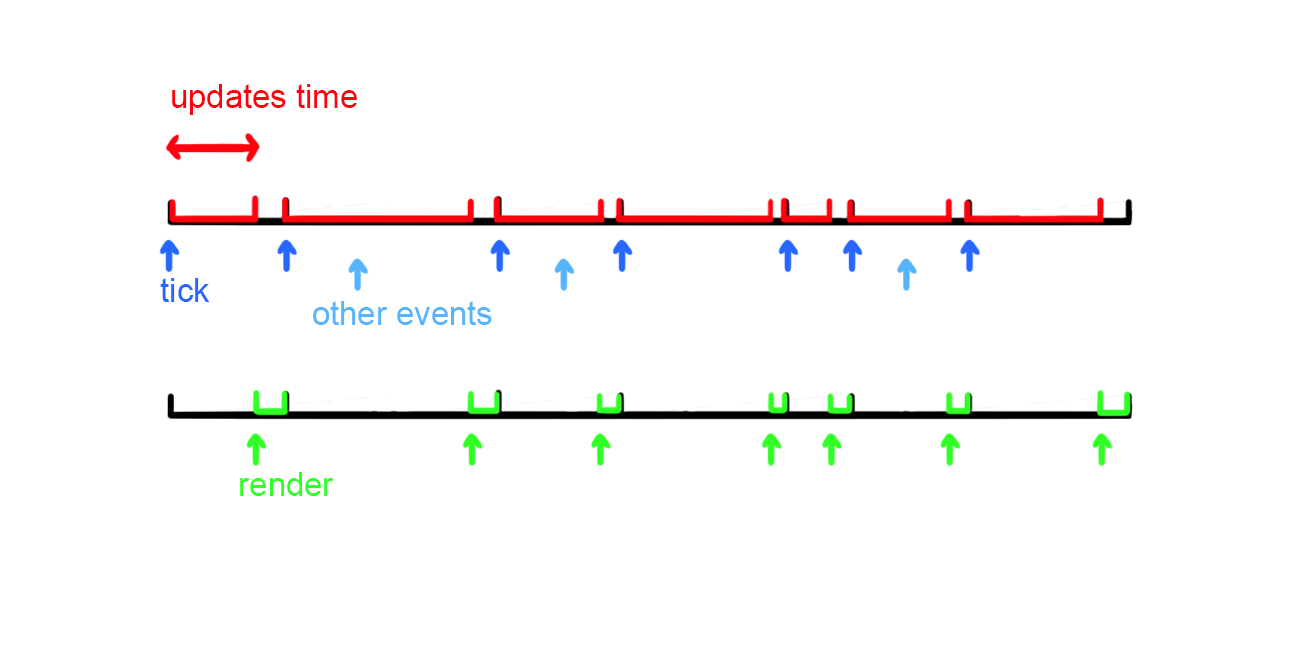
In Messenger, rendering does not correspond directly to a single game update. Instead, an event queue is maintained, where each event triggers a game update. After all events in the current queue are processed, rendering occurs. While the game is updating and rendering, any new incoming events are added to a new queue, which will be handled in the next cycle, rather than being added to the current queue. The Tick event is treated like any other event, except that it is triggered repeatedly.
Users do not need to worry about the correctness of the model state when many events occur, as the model is updated according to the event queue. Though the game will be shown as paused since rendering is blocked.
A Tick event marks the start of an updates-render period. When the time interval is set to Millisecond mode, the Tick events are triggered at the configured interval. If a frame takes longer than the configured interval, the next Tick will wait until the current frame finishes.
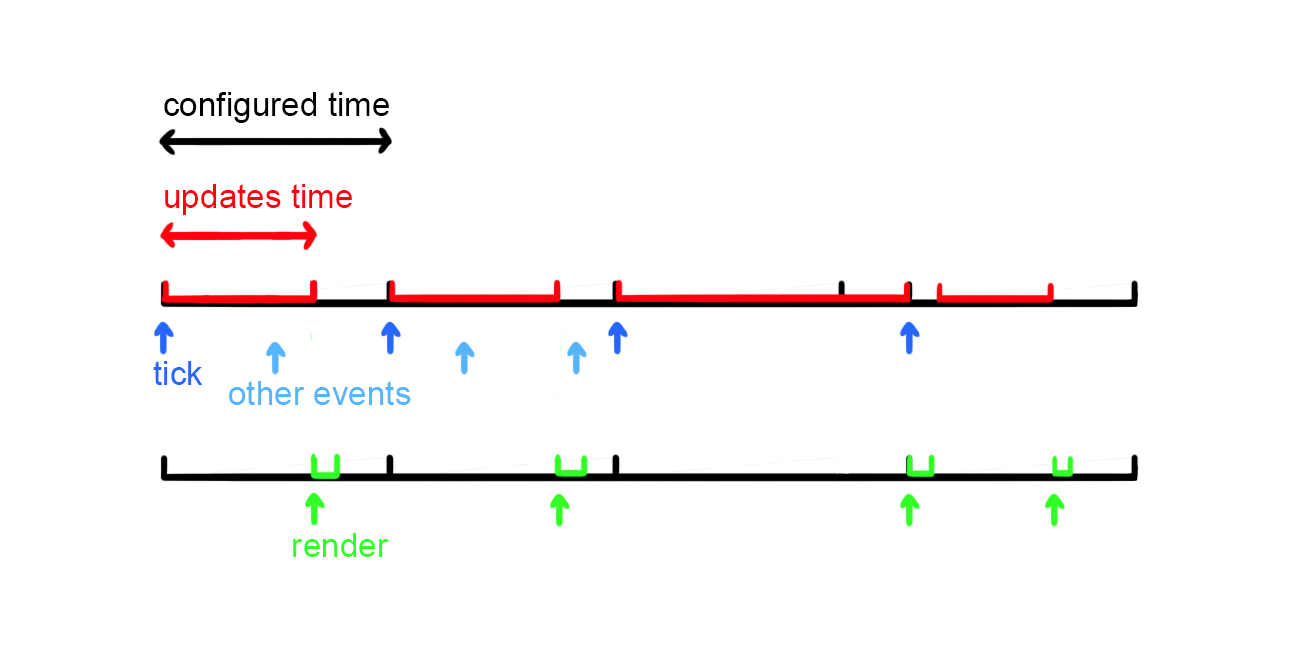
When the time interval is set to AnimationFrame mode, The frequency is determined by both the duration of each updates-render cycle and the refresh rate of the device. In other words, the configured interval matches the minimum frame time of the device, allowing rendering to occur as frequently as possible.